
-
×
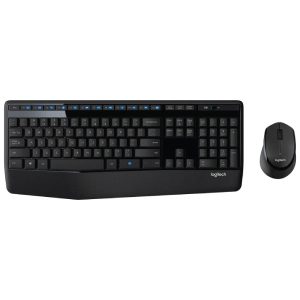 Logitech MK345 Wireless Keyboard and Mouse Combo
1 × KSh 6,500.00
Logitech MK345 Wireless Keyboard and Mouse Combo
1 × KSh 6,500.00
Subtotal: KSh 6,500.00

Specifications
KSh 17,500.00 KSh 19,000.00
The Logitech MX Master 3S is a premium right-handed productivity mouse designed for professionals and power users. It supports wireless connection via Bluetooth and 2.4 GHz (with a dongle), is rechargeable via USB-C, and offers advanced features such as high-precision tracking, multi-device support, and a versatile scroll wheel. The “Graphite” color variant adds a dark-toned aesthetic ideal for modern workspaces and setups.
Ergonomic & Premium Build
The MX Master 3S features a sculpted shape with thumb rest and textured sides for a comfortable fit during long hours of use.
High-quality materials—including a matte finish and metal scroll wheel give it a refined feel befitting its price point.
Designed only for right-handed use (not ambidextrous).
Advanced Tracking & Sensor Technology
Utilizes Logitech’s Darkfield high-precision sensor, enabling use even on glass surfaces (depending on condition).
Maximum sensitivity of 8,000 DPI, a major upgrade over previous generations—useful for high-resolution displays or fine cursor control.
MagSpeed Scroll Wheel & Additional Controls
The metal MagSpeed scroll wheel smoothly toggles between click-to-click (ratchet) and ultra-fast free-spin modes. It can scroll up to 1,000 lines per minute in certain setups.
Includes a secondary thumb wheel and multiple programmable buttons (thumb buttons, gesture button) that can be customised via the Logitech Options+ software.
Excellent for workflows in video editing, large spreadsheets, or multi-tasking across applications.
Multi-Device & Connectivity Flexibility
Connects to multiple devices (up to three) via Bluetooth or the included 2.4 GHz “Unifying” dongle, and you can switch between them easily.
Rechargeable via USB-C; you can continue using it while charging. Battery life is very good (measured up to several weeks in typical use) though exact lifespan depends on workload.
Graphite Colour Variant
The Graphite colour gives a professional, sleek appearance—suiting furnished work-stations, home offices or shared desk setups.
Maintains all the same internal specs and features as other colour options (such as Black or Pale Gray).
The combination of premium materials, ergonomic shape, and robust features positions the MX Master 3S as a top choice for people who spend many hours at a computer (e.g., developers, designers, creators).
The ability to map application-specific shortcuts and the presence of the dual scroll wheels mean you can tailor the mouse to “work your way”.
Thanks to Bluetooth + dongle + multi-device switching, you can seamlessly move between a laptop, desktop, or tablet with minimal disruption.
Price: At the premium end of the mouse market, it may cost significantly more than basic wireless mice.
Handedness: It is designed only for right-handed users; if you’re left-handed you’ll need a different model.
Size/Weight: Because it is built for comfort and functionality, it is slightly larger/heavier than ultra-minimal mice; users with small hands or who prefer ultra-light mice may want to verify comfort.
Battery replacement: Some users have noted that battery replacement isn’t user-friendly (though this is a common trait in many rechargeable mice).
specifications
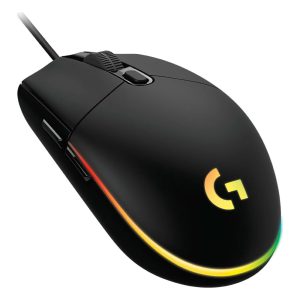
Sensor: Gaming-grade optical sensor with up to 8000 DPI resolution
Buttons: 6 programmable mechanical buttons with primary button tensioning
Lighting: LIGHTSYNC RGB lighting with 16.8 million colors and multiple effects
Connectivity: USB-wired interface with low latency response
Customization: Full support via Logitech G HUB software for DPI, macros, lighting, and profiles
Memory: Onboard memory for saving custom profiles without software
Build: Lightweight, symmetrical design for comfort and durability
Compatibility: Works with Windows 7 or later, macOS 10.10
Specifications
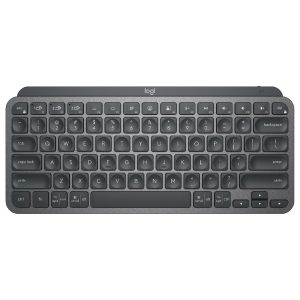
Specifications
Specification
Select at least 2 products
to compare
There are no reviews yet.