

Logitech H340 USB Headset with Noise-Cancelling Mic
Specifications
- Microphone Type: Bi-directional
- Input Impedance: 22 Ohms
- Sensitivity (headphone): 115 dB +/-3 dB
- Sensitivity (microphone): -42 dBV/Pa +/- 3 dB
- Frequency response (Headset): 20 Hz – 20 kHz
- Frequency response (Microphone): 100 Hz – 16 KHz
- Cable length: 1.8 m
KSh 4,000.00 KSh 6,000.00
When you’re looking for a dependable headset for online meetings, remote work, school, or casual gaming, the Logitech H340 is built with simplicity and clarity in mind. With a plug-and-play USB-A connection, there’s no software required — just plug it into your computer and you’re ready to go.
This makes it especially useful if you need a reliable headset for VOIP calls (e.g., Skype, Zoom), remote learning, or everyday computer use.
Key Features Breakdown
Plug-and-Play USB Connectivity
-
The headset uses a USB-A connection (cable length ~1.8 m / ~5.9 ft) for easy setup.
-
Compatible with Windows®, macOS®, Chrome OS™ — simply plug in and use, no driver installation necessary.
-
Ideal for desktop or laptop use, where ease and reliability matter most.
Digital Stereo Sound
-
Audio frequency response spans approximately 20 Hz to 20 000 Hz for the earcups.
-
Provides clear sound for both spoken voice and media (music/videos) making it versatile beyond just conferencing.
Noise-Cancelling Microphone
-
The boom mic is designed to reduce background noise, enhancing clarity during calls.
-
Microphone frequency response ~100 Hz to 10 000-16 000 Hz depending on specification source.
-
Boom mic is adjustable and can be tucked away when not in use.
Comfortable Design & Build
-
Lightweight construction (weight ~0.1 kg / ~100g) makes it comfortable for extended wear.
-
Adjustable headband with swivel-mounted foam ear cushions provide a customizable fit.
-
Dual ear (over-head) design gives immersive sound and isolates ambient noise better than mono sets.
Benefits You’ll Appreciate
-
Effortless setup: With no drivers or software, users of all tech-levels can plug in and start working or chatting within seconds.
-
Clear voice calls: The noise-cancelling mic helps reduce ambient distractions so you’re heard clearly during meetings or classes.
-
Versatility: Although optimized for calls and productivity, the stereo sound means you can also listen to music or watch videos with decent audio quality.
-
Comfort for long sessions: Lightweight build and foam cushions help reduce fatigue over hours of use, ideal for remote work or study.
-
Reliable USB connection: Compared to analog 3.5mm headsets, the digital USB interface often means fewer compatibility issues and better overall clarity.
Who Is It Best For?
-
Remote workers and telecommuters needing a dependable headset for daily calls, webinars, and virtual collaboration.
-
Students attending online classes or doing group discussions who want a simple plug-and-play solution.
-
Casual multimedia users who want a headset that works for both voice and media without overly fancy features or high cost.
-
Organizations or offices looking to equip many users with a standard, cost-effective audio solution.
Things to Keep in Mind
-
This model uses a USB-A plug — if your computer only has USB-C ports, you’ll need an adapter.
-
While the sound quality is very good for its class, if you are seeking high-end audio fidelity (for professional music mixing or gaming competitive audio), you may want to consider higher-spec models.
-
There is no inline remote or mute button on the cable for some region variants, so you may need to mute/unmute via your computer or conferencing software.
Based on 0 reviews
Be the first to review “Logitech H340 USB Headset with Noise-Cancelling Mic”
Related products
-
Accessories, Keyboard and Mouse Combo, Logitech Accessories
Logitech MK345 Wireless Keyboard and Mouse Combo
-13%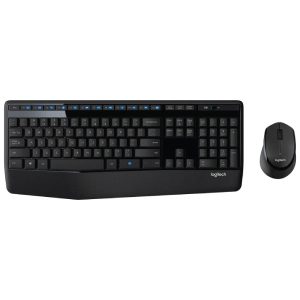 Accessories, Keyboard and Mouse Combo, Logitech Accessories
Logitech MK345 Wireless Keyboard and Mouse Combo
Specifications
- Spill-Resistant Design: The keyboard is designed to withstand accidental spills, which helps protect it from damage caused by liquids.
- Low-Profile Keys: The low-profile keys offer a comfortable typing experience and quiet operation.
- Media Hotkeys: The keyboard includes convenient hotkeys for controlling media playback, volume adjustment, and accessing frequently used functions.
- Battery Life: The keyboard boasts a long battery life, reducing the need for frequent battery changes.
- Full-size keyboard layout: Comfortable, quiet typing on a familiar keyboard layout with generous palm rest, spill-resistant design and easy-access media keys like mute, volume and play
- Comfortable right-handed mouse: Hand-friendly contoured shape for smooth, precise tracking.
- Advanced 2.4 GHz wireless connection: Delivers the reliability and speed of a corded connection.
- Compatibility: Works with PCs using Windows or Chrome operating systems.
- Resolution: 1000 dpi
SKU: n/a -
Accessories, Headsets
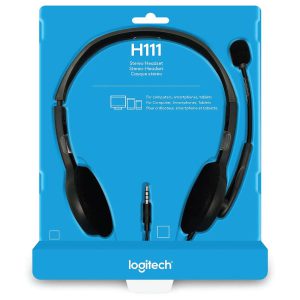
Logitech H111 Stereo Headset – Black (3.5mm Jack)
Specifications
- Connection Type: Wired (3.5 mm audio jack)
- Driver Size: 30 mm
- Frequency Response: 20 Hz – 20 kHz
- Microphone:
- Type: Noise-canceling
- Frequency Response: 100 Hz – 20 kHz
- Adjustable boom microphone
- Controls: In-line volume control and microphone mute switch
- Design:
- On-ear style with soft ear cushions
- Adjustable headband for a personalized fit
- Weight: 120 grams (0.26 lbs)
- Compatibility:
- Compatible with PC, Mac, tablets, and smartphones
- Works with most operating systems, including Windows, macOS, and Chrome OS
- Cable Length: 2 meters (6.5 feet)
SKU: n/a -
Accessories, Logitech Accessories, Mouse
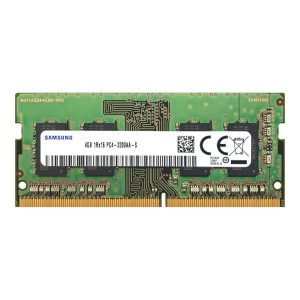
Logitech M171 Wireless Mouse with Comfort
Specifications
- Model: Logitech M171 Wireless Mouse
- Connectivity: 2.4GHz wireless via USB nano receiver
- Wireless Range: Up to 10 meters (33 feet)
- Sensor Technology: Optical tracking
- DPI: 1000
- Battery Type: 1 × AA battery (included)
- Compatibility: Windows, macOS, ChromeOS, Linux
- Design: Ambidextrous, compact, and lightweight
- Buttons: 3 (Left, Right, Scroll/Middle)
- Color: Red with black accents
- Dimensions: Approx. 97.7 x 61.5 x 35.2 mm
SKU: n/a -
Accessories, Ugreen Accessories, USB Accessories
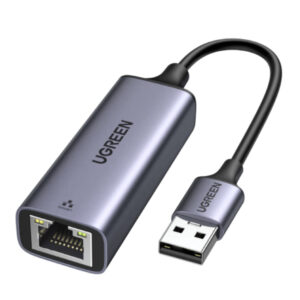
Usb 3.0 To Rj45 Gigabit Ethernet Adapter
specifications
- Connector: USB 3.0 Type-A male to RJ45 female
- Chipset: RTL8153
- Network Speed: 10/100/1000Mbps (Gigabit)
- Material: Aluminum case with space gray finish
- Cable Length: 3.3ft (1m)
- System Compatibility: Windows 10/8.1/8/7/Vista/XP, macOS, Linux, and Chrome OS
- Power Consumption: 3.3V/150mA
- Dimensions: 2.36 x 0.91 x 0.59 inches (60 x 23 x 15mm)
- Weight: 1.23 ounces (35g)
SKU: n/a

There are no reviews yet.