


HP E34m G4 WQHD Curved USB-C Conferencing Monitor
Specifications
- Display: VA; LCD display type
- Display features: On-screen controls; Anti-glare; Height adjustable; Integrated speakers; Curved display; Webcam; HP Eye Ease
- Native resolution: WQHD (3440 x 1440)
- Supported Resolutions: 640 x 480; 720 x 400; 800 x 600; 1024 x 768; 1280 x 720; 1280 x 800; 1280 x 1024; 1366 x 768; 1440 x 900; 1600 x 900; 1680 x 1050; 1920 x 1080; 1920 x 1200; 3440 x 1440; 720 x 480 supported resolution
- Contrast ratio: 3000:1
- Features: 400 nits brightness, 0.23175 mm x 0.23175 mm pixel pitch
- Response time: 5ms GtG (with overdrive)
- Network: Yes, 5MP webcam, 1 RJ-45 (10/100/1000 Mbps)
- Ports: 4 SuperSpeed USB Type-A 5Gbps signaling rate USB-A
- Audio port: 1 x 3.5 mm Audio Jack (Audio In/Out Combo)
- Power supply: 100 – 240 VAC 50/60 Hz
- Dimensions: 31.82 x 4.29 x 15.28 in
- Weight: 26.4 lb
KSh 110,000.00 KSh 115,000.00
HP E34m G4 — detailed description (WQHD Curved USB-C Conferencing Monitor)
The HP E34m G4 is a 34-inch, ultrawide WQHD curved monitor built specifically for hybrid work and video conferencing. It combines a wide 21:9 VA panel with an integrated conferencing stack (webcam, mics, speakers) and a USB-C dock-style connection so a single cable can carry video, data and laptop charging — making it a strong choice for home offices, executive desks, and meeting rooms where quick, clean setup and excellent call quality matter. HP+1
Key display & physical features
-
Screen: 34″ curved VA panel, 21:9 ultrawide.
-
Resolution: WQHD (3440 × 1440) for more horizontal workspace than a 16:9 monitor.
-
Brightness & contrast: Around 400 cd/m² brightness and a high static contrast ratio (typical of VA panels) for deeper blacks and better perceived contrast.
-
Curvature & ergonomics: Gentle curve (comfortable for single-user immersion); height adjust (≈150 mm), tilt and ±30° swivel allow flexible positioning.
-
Refresh/response: Rated for smooth office motion (specs list 5 ms GtG with overdrive and up to 75 Hz operation). HP+1
Conferencing & audio hardware (what makes it “conferencing”)
-
Integrated 5 MP camera with tilt adjustment and pop-up privacy (so you can hide the camera when not in use). The webcam supports Windows Hello on compatible systems.
-
Microphones: Dual, echo-cancelling mics tuned for speech capture in a typical desk environment.
-
Speakers: Front-firing speakers designed for clear voice reproduction on calls.
-
Certifications: Zoom certification and native compatibility with major meeting apps — helps ensure camera/mic functions work reliably without complex driver setup. HP Support+1
Connectivity & docking
-
USB-C (Alt Mode): Single-cable video + data + power delivery; HP lists laptop charging up to 65 W, which is enough to maintain most ultrabooks during use.
-
Additional ports: DisplayPort, HDMI, and multiple SuperSpeed USB-A ports (useful for keyboard, mouse, or wired peripherals). The monitor effectively acts like a compact docking station on your desk. Accelerator+1
Color & eye comfort
-
Color coverage: High sRGB coverage (HP lists ~99% sRGB), good for most content-creation and office tasks that need accurate color.
-
Eye comfort: HP Eye Ease — a hardware low-blue-light solution (TÜV certified) which reduces harmful blue wavelengths without a yellow tint, plus a flicker-free panel for reduced eye strain. HP
Practical benefits — who this is for
-
Remote/hybrid professionals who join frequent video meetings and want a minimal-cable desk.
-
Creators and spreadsheet/pipeline users who benefit from extra horizontal screen real estate (3440×1440 gives wide timelines and side-by-side windows).
-
Offices that want a polished, “all-in-one” display that simplifies A/V for a single user without needing a separate webcam or speakerbar.
Setup tips & small caveats
-
Tip: Use the USB-C connection for single-cable convenience; if your laptop can’t accept 65 W PD, use an additional power adapter.
-
Caveat: VA panels excel at contrast but can show slightly slower pixel transitions than high-end IPS/Gaming panels — irrelevant for office/video calls but worth noting if you need ultra-fast pixel response for competitive gaming.
-
Tip: Test the camera tilt and Windows Hello enrollment during first setup; the pop-up privacy shutter is handy for privacy-conscious users. HP Support+1
Quick pros & cons
Pros
-
Integrated 5 MP webcam + mics + speakers (clean desk, fewer accessories).
-
Single-cable USB-C docking with laptop charging.
-
Ultrawide WQHD workspace and good color for productivity.
-
Zoom certification and easy meeting compatibility. HP+1
Cons
-
Not targeted at high-refresh competitive gaming (specs are office-focused).
-
Built-in audio is fine for calls but audiophiles will prefer dedicated speakers or headphones.
Based on 0 reviews
Be the first to review “HP E34m G4 WQHD Curved USB-C Conferencing Monitor”
Related products
-
HP Monitors, Monitors
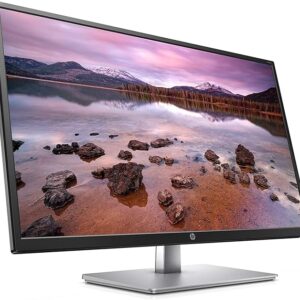
HP 32S Display 31.5-Inch FHD Monitor with Anti-glare HDMI VGA
Specifications
- Product type: HP 32s Display
- Sub category: Monitors
- Sub brand: M-Series
- Display: 31.5” In-Plane Switching (IPS) Panel Display
- Connectivity: VGA | HDMI Inputs
- Resolutions: 1920 x 1080 Full HD Resolution
- Constant ratio: 1200:1
- Brightness: 250 cd/m²
- Viewing angle: 178°/178°
- Time: 5 ms Response Time (GtG)
- Colors: 16.7 Million Colors
SKU: n/a -
HP Monitors, Monitors
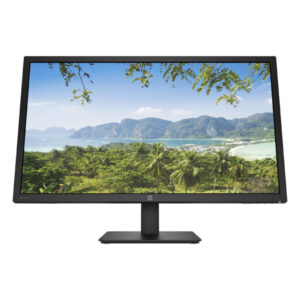
HP V28 4K Computer Monitor (8WH58AA)
Specifications
- Display type: TN
- Screen treatment: Anti-glare
- Brightness: 300 nits
- Contrast ratio: 1000:1
- Aspect ratio: 16:9
- Native resolution: 4K UHD (3840 x 2160)
- Display size (diagonal, metric): 71.12 cm (28″)
- Display features: Anti-static; AMD FreeSync™; Low blue light mode
- Input signal: 2x HDMI 2.0; 1x DisplayPort™ 1.2
SKU: n/a -
Lenovo Monitors, Monitors
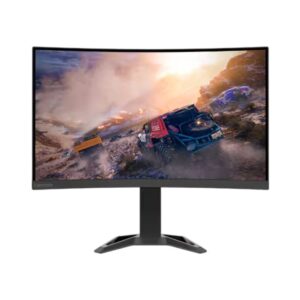
Lenovo G32qc-30 QHD 32-Inch Curved Gaming Monitor
Specifications
- Panel Size: 31.5-inch
- Backlight: WLED
- Aspect Ratio: 16:9
- Resolution: 2560 x 1440
- Pixel Pitch: 0.272 mm x 0.272 mm
- DPI/PPI: 93
- Viewing Angle: 178° / 178°
- Response Time: 0.5ms (MPRT), 1ms (Level 4), 2ms (Level 3), 3ms (Level 2), 4ms (Level 1)
- Refresh Rate: HDMI: 144Hz; DP: 165Hz (Overclock to 170Hz)
- Brightness: 350 cd/m²
- Contrast Ratio: 3500:1 (Typical); 3M:1 (Dynamic)
- Anti-Glare: Yes
- Video Signal: 2 x HDMI 2.0, 1 x DP 1.4
- Audio Signal: 1 x Audio Out (3.5mm)
- Software: Lenovo Artery
- Sync Technology: AMD FreeSync Premium
- Natural Low Blue Light: Yes
- Power Consumption: 35W/70W (Typical/Max), <0.5W (Sleep), <0.3W (Off)
- Voltage Required: AC 100 to 240 V (50-60 Hz)
- Tilt Angle: -5° / 22°
- Lift Range: 135 mmeb
- VESA Mount: 100 x 100 mm
- Size Unpacked w/ Stand: 278.7 x 458.3 / 593.3 x 709.8 mm
- Weight: 11.1 kg
SKU: n/a -
Monitors
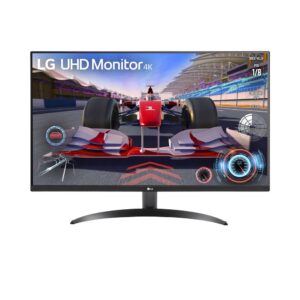
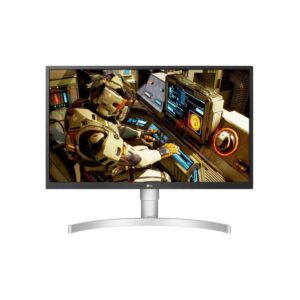
LG 27-Inch 4K UHD USB-C Monitor with Adjustable Stand
Specifications
- Display: 27-inch IPS panel with 3840 x 2160 (4K UHD) resolution
- Color Accuracy: sRGB 98% (CIE1931), 1.07 billion colors
- Brightness & Contrast: 300 cd/m² brightness, 1000:1 contrast ratio
- Response Time: 5ms (GTG)
- Viewing Angles: 178° horizontal and vertical
- HDR Support: HDR10
- AMD FreeSync™: Yes
- Connectivity:2x HDMI 2.0,1x DisplayPort 1.4,1x USB-C with up to 90W Power Delivery,2x USB 3.0 downstream ports, Headphone out
- Ergonomics: Tilt, height, and pivot adjustments
- VESA Mount: 100 x 100 mm
- Power Consumption: 44W (typical), less than 0.5W
- Dimensions:623 x 574 x 239 mm
- Weight:6.3kg
SKU: n/a
There are no reviews yet.