
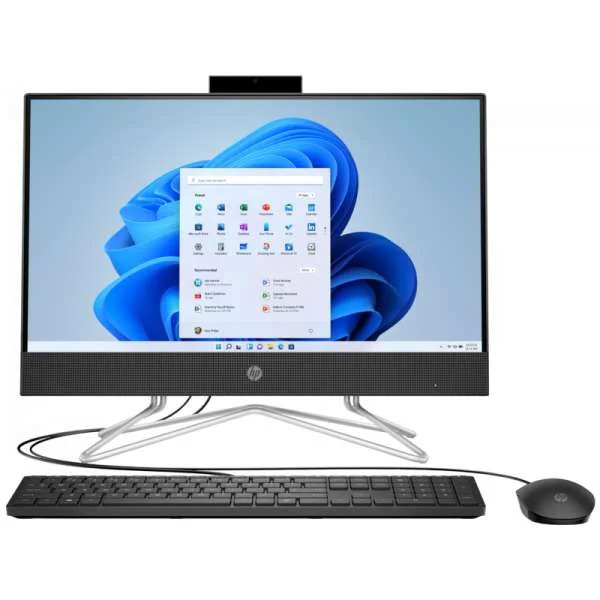

HP AIO 22-dd2339nh i3 12th Gen 4GB 256GB DOS Black
- Processor: 12th Gen Intel® Core™ i3-1215U Processor (10M Cache, up to 4.4 GHz, 2P+4E cores)
- Graphics: Intel UHD Graphics for 12th Gen Intel® Processors
- Memory: 4GB DDR4 RAM
- Storage: 256GB M.2 NVMe™ PCIe® SSD
- Operating system: No Operating System
- Display: 21.5-inch FHD (1920×1080), VA panel, anti-glare, three-sided micro-edge
- Keyboard: Wired Keyboard and Mouse
- Camera & Audio: HP True Vision 720p HD pop-up privacy webcam + dual-array mics; dual 2 W speakers
- Color: Black
- Connectivity: WiFi (Realtek RTL8821CE, 802.11ac) + Bluetooth 4.2; Gigabit Ethernet
- Ports: USB ports (Type-A, etc.), HDMI-out, RJ-45, combo audio jack, etc
- Power & Build: 65 W smart AC adapter; stand built into AIO, overall compact footprint
KSh 69,000.00 KSh 79,000.00
Overview & Positioning
The HP 22-dd2339nh is an All-in-One (AIO) desktop PC from HP, integrating the display and system components into a single sleek unit (i.e. no separate tower). It is targeted toward home users, small offices, students, and general productivity tasks (web, office apps, light multimedia). The core selling points are its compact design, minimal cabling, and modest but modern internals.
Because it ships with FreeDOS (i.e. no Windows OS preinstalled) in many markets, you or the reseller will typically install your preferred operating system (e.g. Windows, Linux).
It features a 12th Generation Intel® Core™ i3-1215U processor — a modern, efficient chip with hybrid architecture (performance + efficiency cores) — paired with 4 GB of RAM and a 256 GB NVMe SSD storage. Physically, it has a 21.5-inch Full HD (1920×1080) display with three-sided micro-edge bezels and anti-glare surface.
In short: it’s not a powerhouse meant for heavy gaming or advanced video editing, but for everyday work, web, light content consumption, and tasks that benefit from a clean, all-in-one setup.
Key Features & Specifications
Here is a more structured breakdown of its major specs (and what they imply):
| Component | Specification | What It Means / Trade-offs |
|---|---|---|
| Processor (CPU) | Intel Core i3-1215U (12th Gen) | This is a modern low-voltage CPU, with hybrid architecture (P-cores + E-cores). Good for everyday productivity, multitasking, light photo editing. Not ideal for heavy compute or demanding 3D workloads. |
| Memory (RAM) | 4 GB DDR4-3200 MHz (single module) | 4 GB is minimal in 2025; you’ll likely want to upgrade to 8 GB or 16 GB if your usage includes keeping many browser tabs, light virtualization, IDEs, etc. |
| Storage | 256 GB PCIe NVMe M.2 SSD | Fast storage (much faster than traditional HDD). Enough for OS + apps + a moderate number of files. But if you store large media/video files, you may find this limiting. |
| Display | 21.5-inch FHD (1920×1080), VA panel, anti-glare, three-sided micro-edge | Crisp full HD resolution, decent for general use. The anti-glare helps reduce reflections. The VA panel gives good contrast, though viewing angles may not be as strong as IPS. |
| Graphics | Integrated Intel UHD Graphics | No discrete GPU. Adequate for 2D graphics, video playback, light photo editing. Not suitable for high-end gaming or heavy GPU workloads. |
| Connectivity / Networking | WiFi (Realtek RTL8821CE, 802.11ac) + Bluetooth 4.2; Gigabit Ethernet | Decent wireless and wired connectivity. For heavier network loads or streaming, wired Ethernet is preferable. |
| Ports & Expandability | USB ports (Type-A, etc.), HDMI-out, RJ-45, combo audio jack, etc. | There’s flexibility for external displays, USB devices, etc. Also, internal expansion is possible (e.g. adding RAM or extra SSD) via internal slots. |
| Camera & Audio | HP True Vision 720p HD pop-up privacy webcam + dual-array mics; dual 2 W speakers | Adequate for video calls and basic conferencing. The privacy shutter is a nice touch for security. Audio is modest; not for serious music production. |
| Power & Build | 65 W smart AC adapter; stand built into AIO, overall compact footprint | Uses external power brick. All-in-one design means less cable clutter; panel and internals integrated. |
Strengths (What Works Well)
-
Space-saver & simplicity: Since the display and PC are one, you avoid a separate tower and reduce cabling.
-
Modern CPU architecture: The 12th-gen i3 gives good efficiency and performance for general tasks.
-
Fast SSD storage: Boot times, app launches, and general responsiveness will feel snappy.
-
Upgrade potential: Even though it ships modestly, you can upgrade RAM and perhaps expand storage internally.
-
Good for everyday users: For office apps, web, streaming, light editing, remote work, it’s well suited.
-
Built-in webcam with privacy shutter: Useful for meetings, and the shutter adds a layer of privacy.
Weaknesses & Caveats (What to Watch Out For)
-
Limited memory out of box: 4 GB is very minimal by modern standards; multitasking or heavy workloads may struggle.
-
No OS installed in many cases (DOS / FreeDOS): You need to install your own operating system, which adds setup steps and possibly costs
-
Integrated graphics only: Not suitable for demanding 3D gaming, GPU-intensive work, or high-end video rendering.
-
Moderate screen size & panel type: 21.5″ FHD is okay, but for detailed visual editing or design work you might prefer larger or higher-end displays.
-
Audio is basic: The built-in speakers are fine for casual use, but don’t expect studio-level sound.
-
Potential thermal and upgrade constraints: As with many compact AIOs, thermal headroom and internal accessibility may be limited.
Usage Scenarios & Suggested Upgrades
Good Use Cases
-
Home / small office productivity: Word, Excel, email, web, light multitasking.
-
Remote work or online classes: video calls, document editing, presentations.
-
Media consumption: streaming videos, light photo viewing.
-
Students: ideal for coursework, research, basic programming.
Recommended Upgrades
-
Add more RAM: Upgrading to at least 8 GB (preferably 16 GB, if supported) will improve multitasking and future proofing
-
Larger SSD / secondary storage: If you work with large files (video, RAW images), consider adding or replacing with a higher capacity SSD or external drive
-
Install a better OS + driver setup: Ensure you install optimized drivers for things like WiFi, graphics, webcam, etc.
-
Use external speakers/headphones if audio demands are higher than what the built-in ones can deliver.
Final Thoughts
The HP AIO 22-dd2339nh is a well-balanced, compact all-in-one machine suited for general users who want a clean desk setup, minimal cabling, and decent day-to-day performance. It’s not built for heavy workloads or enthusiasts, but for most users doing office, web, media tasks, it offers good value — especially once upgraded with more RAM.
If you like, I can compare this model against alternatives in your price range in Kenya (or in Nairobi) so you can see whether to pick this or another. Would you like me to do that?
Based on 0 reviews
Be the first to review “HP AIO 22-dd2339nh i3 12th Gen 4GB 256GB DOS Black”
Related products
-
All in one, Desktops, Lenovo Desktops
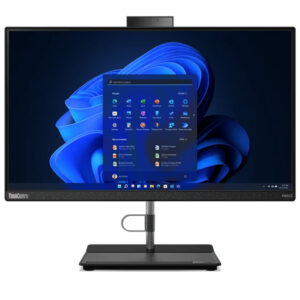
Lenovo AIO Neo 30a 22″ Core i3 12th Gen 4GB 256GB SSD
Specification
- Processor: Intel® Core™ i3-1220P, 10C (2P + 8E) / 12T, P-core 1.5 / 4.4GHz, E-core 1.1 / 3.3GHz, 12MB
- Memory: 1x 4GB SO-DIMM DDR4-3200
- Storage: 256GB SSD M.2 2280 PCIe® 4.0×4 NVMe® Opal 2.0
- Display: 21.5″ FHD (1920×1080) IPS 250nits Anti-glare, 72% NTSC
- Speakers: 3W x 2
- Camera: HD 720p
- Screen: 21.5″
- Ports: Two USB 2.0 ports, Two USB 3.2 Gen 2 ports, One HDMI-out port, One Ethernet (RJ-45) port, One power connector
- USB: 2 × USB 2.0 and 2 × USB 3.2 Gen 2 ports
- Dimensions: Approximately 490.3 mm × 185 mm × 405.4 mm
- Weight:5.7 kg
SKU: n/a -
Dell Desktops, Desktops
Dell OPTIPLEX 700MT Core i7-12700 8GB 512SSD CPU Only
Specifications
- Product: Dell OptiPlex 7000 MT
- Processor family: 12 Gen Intel® Core™ i7-12700 (25 MB cache, 12 cores, 20 threads, 2.10 GHz to 4.90 GHz Turbo, 65 W)
- Internal memory: 8 GB
- Total storage capacity: 512GB, M.2, PCIe NVMe, SSD, Class 35
- Storage media: HDD
- Optical drive: DVD±RW
- On-board graphics card model: Intel UHD Graphics 770
- Operating system installed: Ubuntu
- Power supply: 240 W
SKU: n/a -
All in one, Desktops
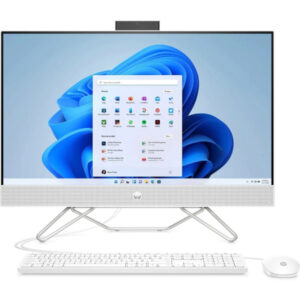
HP AIO 27-CB1157NH Core i7 12th Gen 8GB 512GB SSD Dos White
Specifications
- Operating system: Windows 11 Home
- Memory: 8GB DDR4-3200 MHz RAM (1 x 8 GB)
- Storage: 512GB PCIe NVMe M.2 SSD
- Processor: Intel® Core™ i7-1255U (up to 4.7 GHz with Intel® Turbo Boost Technology, 12 MB L3 cache, 10 cores, 12 threads)
- Processor family: 12th Generation Intel® Core™ i7 processor
- Graphics: Intel® Iris® Xe Graphics
- Optical drive: none
- Display: 27 Inches (68.6 cm) diagonal, non-touch, FHD (1920 x 1080), IPS, three-sided micro-edge, anti-glare, 250 nits, 72% NTSC
- Ports: Rear: 1x SuperSpeed USB Type-A 5Gbps signaling rate | 2x USB 2.0 Type-A | 1 RJ-45 | HDMI Out
- Side I/O: 1x SuperSpeed USB Type-A 5Gbps signaling rate 1x headphone / microphone combo jack (3.5mm)
SKU: n/a -
Desktops, Gaming Desktops
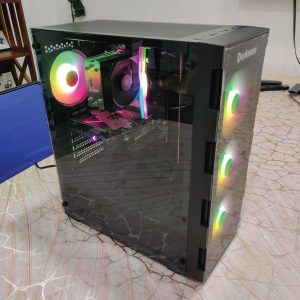
Custom Gaming Desktop PC with ASRock H510M-HDV/M.2 SE Motherboard
Specifications
- Motherboard: ASRock H510M-HDV/M.2 SE
- Chipset: Intel H510
- Form Factor: Micro ATX
- Memory Support: 2 DIMM slots, up to 64GB, DDR4 3200MHz
- GPU: NVIDIA GeForce RTX 3060
- CUDA Cores: 3584
- Memory Interface: 192-bit
- Storage: 1 x M.2, 4 x SATA 6Gb/s
- Processor: Intel Core i5-11400F, 6 cores, 12 threads, up to 4.4GHz
- CPU Cooler: DeepCool AG300 92mm Air Cooler
- Memory: TeamGroup T-Force Delta RGB 16GB (2x8GB) DDR4 3200MHz RAM
- Storage: Kingston NV2 1TB PCIe NVMe M.2 SSD
- Graphics Card: ASUS Dual GeForce RTX 3060 12GB GDDR6
- Power Supply: Deepcool PF650D 650W 80 Plus Standard
- Case: Deskooze CZAR ATX Black with 4 x 120mm RGB Fans
- Front Ports: One USB-A 3.0, Two USB-A 2.0, One 3.5mm Headphone Jack, One 3.5mm Microphone Jack
- Rear Ports: PS/2 Mouse/Keyboard Port, VGA Port, DVI-D Port, HDMI Port, USB-A 2.0 Ports, USB-A 3.2 Gen1 Ports, RJ-45 Ethernet Port, Three Audio Jacks
- GPU Ports: HDMI 2.1, Three DisplayPort 1.4a
- Essential accessories: user manual, I/O shield, SATA cables, and M.2 screw
- Power Supply: Deepcool PF650D 650W
- Case: Deskooze CZAR ATX Black
- Cooling: 4 x 120mm RGB Fans
- Compatibility: Intel LGA 1200/1151/1150/1155
- Dimensions: ATX Mid Tower, 120mm each
SKU: n/a -
Desktops, Workstations & Servers
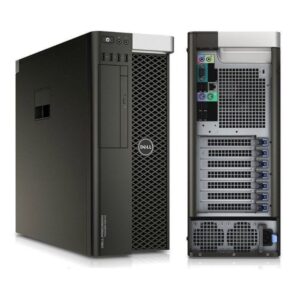
DELL T5810 XEON E5-1650V3 16GB RAM 1TB SSD 2GB GPU
Specifications
- Operating System: Windows
- Ram Memory Installed Size: 16GB RAM
- Series: T5810
- CPU Model: Intel Xeon MP
- Storage: 1TB
- GPU: 2GB Graphics
- CPU Manufacturer: Intel
- Connectivity Technology: Ethernet
- RAM Memory Technology: DDR4
SKU: n/a

There are no reviews yet.